When it comes to SEO, redirects play a vital role in ensuring that your website’s traffic is properly managed and directed. One of the most common types of redirects is the 301 redirect, but what exactly is it, and how does it work? In this article, we will dive into the details of 301 and 302 redirects, including their meanings, uses, and potential impact on SEO.
What is a 301 Redirect?
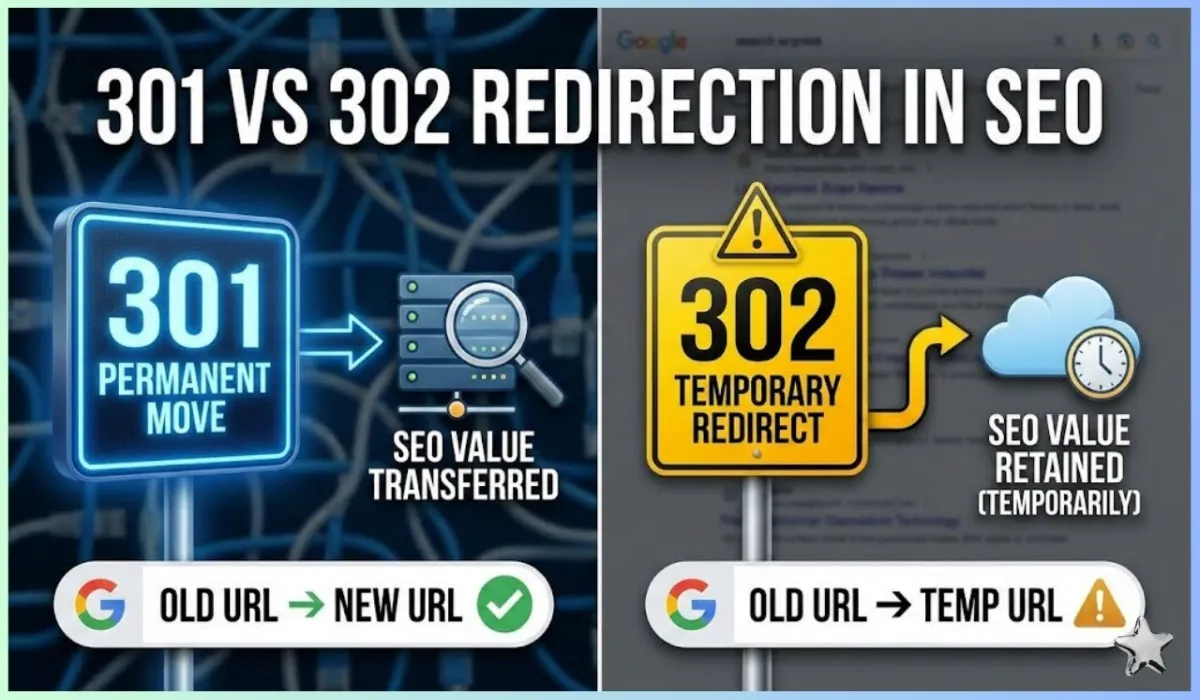
A 301 redirect is a permanent redirect used to send users and search engines from one URL to another. The 301 redirect meaning comes from the HTTP status code, which tells the browser or search engine that the page has permanently moved to a new location. This is a crucial aspect of SEO redirects, as it helps to preserve your SEO rankings by transferring link equity from the old URL to the new one.
How Does a 301 Redirect Work?
When a user tries to visit a page that has been permanently moved, a 301 redirect informs the browser to automatically take them to the new page. This ensures that the visitor isn’t met with a 404 error page. From an SEO standpoint, a 301 permanent redirect passes on the SEO value of the original page to the new page, ensuring that any backlinks and authority aren’t lost.
301 vs 302 Redirect: What’s the Difference?
A 302 redirect is another type of redirect, but it works differently from a 301. The key difference between 301 and 302 redirect is that the 302 status code indicates a temporary redirect, meaning that the page may be moved back to the original URL in the future. In contrast, a 301 redirect is a permanent change.
If you’re confused about 302 redirect vs 301, remember that the 302 redirect is typically used when you are temporarily directing traffic to a different page. However, 301 redirects are the better option for SEO, as they pass on the full link equity to the new URL.
301 Redirect SEO Penalty: Is There One?
There is a common misconception that using 301 redirects can result in an SEO penalty. However, as long as the redirects are set up properly, they do not negatively affect your rankings. In fact, a well-configured 301 redirect is a helpful tool for maintaining your site’s SEO strength after a page or site move.
However, 301 redirect not working or improper implementation can lead to SEO issues. For example, if the redirect leads to a page with a poor user experience or an irrelevant destination, it could indirectly harm your SEO.
Are Redirects Bad for SEO?
The short answer is no; redirects are not bad for SEO. In fact, 301 redirects SEO can be highly beneficial if used correctly. They help search engines understand that a page has permanently moved and ensure that the authority is passed on to the new page. However, excessive redirects or improper redirect chains can cause issues with SEO performance, such as slower page load times.
What Is 301 Redirect in WordPress?
For WordPress users, setting up a 301 redirect in WordPress is a simple process. WordPress offers several 301 redirect plugins that allow you to set up redirects easily. These plugins enable you to specify which old URLs should be redirected to which new pages, making it a useful tool for managing website migrations or page reorganizations.
301 Redirect in .htaccess
If you’re familiar with .htaccess files, you can also set up 301 redirects htaccess. This is a manual method of creating redirects, where you add the appropriate code to your website’s .htaccess file. Here’s an example of how to create a 301 redirect URL in .htaccess:
Example
Redirect 301 /old-page http://www.yoursite.com/new-page
This code tells the server to permanently redirect users from the old page to the new page.
Checking Your 301 Redirects
If you’re unsure whether your 301 redirects are set up correctly, you can use a 301 redirect checker tool. These tools allow you to test your 301 redirect status code and ensure that the redirection is working properly.
For instance, tools like the 301 redirect checker and 301 v 302 redirect checker can help verify that your redirects are functioning as expected. These tools also allow you to check if the 301 redirect status code is being returned or if there are any issues.
When Would It Be Necessary to 301 Redirect?
There are several situations where it’s necessary to set up a 301 redirect:
- Site Migration: When you move your site to a new domain, you need 301 redirects to ensure your traffic and SEO rankings are preserved.
- URL Structure Change: If you change the structure of your URLs (for example, removing or adding folders), you should implement 301 redirects to prevent broken links and loss of rankings.
- Consolidating Pages: If you have duplicate content across multiple pages, you can use 301 redirects to consolidate them into a single authoritative page.
Troubleshooting 301 Redirect Issues
While 301 redirects are generally reliable, there can be cases when they don’t work properly. Some common issues include:
- 301 redirect not working: This can occur if the URL is incorrectly configured or if the server isn’t properly handling the redirect.
- Redirect loops: These happen when two pages are redirecting to each other, causing an infinite loop.
- Redirect chains: This occurs when a page redirects to another page that then redirects again, causing slower load times and a potential drop in SEO.
How to Check for 301 Redirects?
To ensure that your 301 redirects are working properly, you can use a 301 redirect check tool. These tools will show you whether a 301 status code is returned or if the redirect is configured incorrectly.
Conclusion
In conclusion, 301 redirects are a crucial tool for website owners looking to maintain SEO value when moving or consolidating pages. While there are 302 redirects, which are temporary, 301 redirects are preferred for permanent moves to ensure that your SEO efforts are not lost. As long as your redirects are correctly configured, they should not harm your rankings but rather help preserve them.
At DigiTechfab, we specialize in providing expert digital marketing and SEO services. Whether you’re dealing with 301 redirect SEO or any other SEO challenge, our team can guide you through the process to ensure your site is optimized for success. For more information or assistance with SEO redirects and other strategies, visit our website.