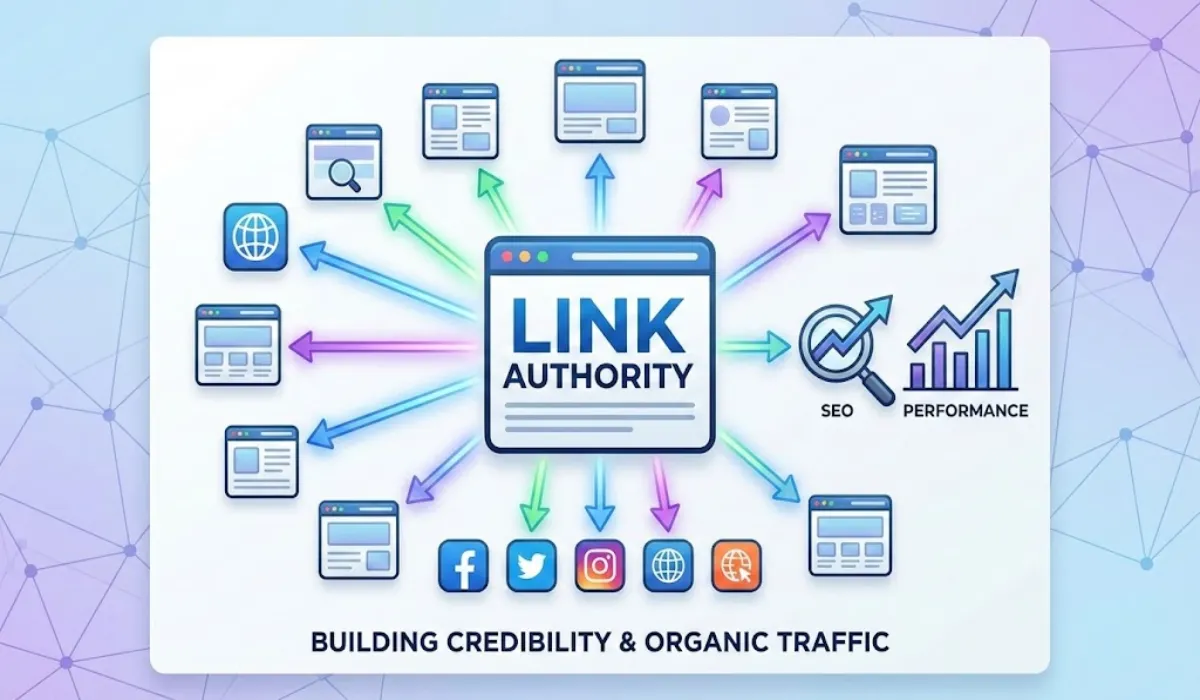
Links are the backbone of the internet.
They connect pages, websites, and users.
But not all links are the same.
Some links help your SEO.
Some links protect your website.
Some links protect users.
And some links are made only for safety and privacy.
If you’ve ever seen terms like dofollow, nofollow, ugc, noopener, or noreferrer and felt confused, you’re not alone.
This guide explains everything in simple language, with real-world SEO use cases.
No technical headache.
No fluff.
Just clarity…
Table of Contents
What Is a Link in SEO?
A link is a clickable path from one page to another.
Search engines use links to:
- Discover new pages
- Understand page relationships
- Decide trust and authority
But links can also be controlled using the rel attribute.
That’s where things get interesting.
What Is the rel Attribute?
The rel attribute tells search engines and browsers how to treat a link.
Example:
<a href="https://example.com" rel="nofollow">Visit</a>That single word changes how Google sees the link.
Now let’s break each type down.
1. Dofollow Links (The Default Link)
What Is a Dofollow Link?
A dofollow link is a normal link.
You don’t need to write rel="dofollow".
If no rel attribute is added, the link is dofollow by default.
Example
<a href="https://example.com">Example</a>What Dofollow Means in Simple Words
You are telling Google:
“I trust this website.”
Google can:
- Follow the link
- Pass SEO value (link juice)
- Share authority
SEO Benefits of Dofollow Links
- Improves keyword rankings
- Builds domain authority
- Helps pages get indexed faster
Real-World SEO Use Cases
Dofollow links are best for:
- Blog references
- Editorial links
- Trusted resources
- Partner websites
Example
A tech blog linking to Google Docs tutorials.
A marketing blog linking to a trusted SEO guide.
These are natural dofollow links.
2. Nofollow Links
What Is a Nofollow Link?
A nofollow link tells Google:
“I’m linking to this page, but I’m not endorsing it.”
Example
<a href="https://example.com" rel="nofollow">Example</a>What Nofollow Means in Easy Words
- Google can see the link
- Google may crawl it
- But no authority is passed
Since 2019, Google treats nofollow as a hint, not a rule.
But still, nofollow links usually don’t pass SEO value.
When Should You Use Nofollow?
Use nofollow when:
- The link is paid
- The link is sponsored
- You don’t fully trust the site
Real-World SEO Use Cases
Common places where nofollow is used:
- Sponsored blog posts
- Affiliate links
- Blog comments
- External ads
Example
<a href="https://affiliate-site.com" rel="nofollow">Buy Now</a>This keeps your site safe from penalties.
3. UGC (User Generated Content)
What Is UGC?
UGC stands for User Generated Content.
This tag tells Google:
“This link was added by a user, not by the website owner.”
Example
<a href="https://example.com" rel="ugc">Example</a>Why UGC Exists
Google introduced ugc to fight spam.
Especially in:
- Forums
- Comments
- Community platforms
SEO Impact of UGC Links
- No SEO authority passed
- Helps Google identify user-added links
- Protects your site from spam penalties
Real-World SEO Use Cases
UGC links are common on:
- Product Hunt
- Quora
- Forums
- Blog comments
Example
A user drops their website link in a comment section.
That link should be marked as ugc.
4. Noopener
What Is Noopener?
noopener is not an SEO tag.
It is a security attribute.
Why Noopener Is Important
When you use:
target="_blank"The new tab can access the original page using JavaScript.
That’s a security risk.
noopener blocks that access.
Example
<a href="https://example.com" target="_blank" rel="noopener">SEO Impact of Noopener
- No effect on SEO
- No effect on rankings
- Only improves security
Real-World Use Cases
Noopener is used on:
- External links
- SaaS platforms
- Dashboards
- Blogs opening links in new tabs
Google recommends using it.
5. Noreferrer
What Is Noreferrer?
noreferrer is both a privacy and security attribute.
It does two things:
- Hides referral data
- Prevents window access (like noopener)
Example
<a href="https://example.com" target="_blank" rel="noreferrer">What Happens When You Use Noreferrer?
- The destination site can’t see traffic source
- No referrer data in Analytics
- No SEO authority passed
SEO Impact of Noreferrer
- Treated as non-dofollow
- No link juice
- Useful for privacy-focused platforms
Real-World SEO Use Cases
Noreferrer is commonly used by:
- Product Hunt
- Social media platforms
- SaaS tools
- Login-based websites
That’s why Product Hunt links don’t pass SEO value.
Difference Between All Link Types (Simple Table)
| Attribute | Pass SEO Value | Hides Referrer | Security Purpose |
|---|---|---|---|
| Dofollow | ✅ Yes | ❌ No | ❌ No |
| Nofollow | ❌ No | ❌ No | ❌ No |
| UGC | ❌ No | ❌ No | ❌ No |
| Noopener | N/A | ❌ No | ✅ Yes |
| Noreferrer | ❌ No | ✅ Yes | ✅ Yes |
Which Links Should You Use on Your Website?
Use Dofollow When:
- You trust the website
- It’s an editorial reference
- It adds value to users
Use Nofollow When:
- The link is paid
- It’s an affiliate
- You’re unsure about quality
Use UGC When:
- Users can submit links
- You run a forum or comments
Use Noopener When:
- Opening links in new tabs
Use Noreferrer When:
- You want privacy
- You don’t want referral data shared
Are Nofollow and UGC Links Useless?
Absolutely not.
They still provide:
- Referral traffic
- Brand exposure
- Trust signals
- Natural link profile
Google expects a mix of link types.
Too many dofollow links can look unnatural.
SEO Tip for Founders and Tool Websites
Platforms like:
- Product Hunt
- Quora
Won’t give dofollow links.
That’s okay.
Use them to:
- Get users
- Build awareness
- Attract bloggers
- Earn natural backlinks later
Indirect SEO benefits matter.
Final Thoughts
Links are not just about rankings.
They are about:
- Trust
- Safety
- Transparency
- User experience
Understanding link attributes helps you:
- Avoid penalties
- Build clean SEO
- Make smart linking decisions
Whether you run a blog, SaaS, or tool website, this knowledge gives you an edge.
FAQs
What is a dofollow link in SEO?
A dofollow link is a normal link that allows search engines to follow it and pass SEO value. These links help improve website authority and search rankings.
Are nofollow links bad for SEO?
No, nofollow links are not bad. They don’t pass link juice, but they help with traffic, brand visibility, and building a natural backlink profile.
What is the difference between dofollow and nofollow links?
Dofollow links pass SEO authority, while nofollow links tell search engines not to pass ranking value to the linked website.
What does rel=”ugc” mean?
rel="ugc" means the link was added by a user, such as in comments or forums. It helps search engines identify user-generated links and prevent spam.
What is rel=”noopener” used for?
rel="noopener" is used for security. It prevents a newly opened tab from accessing the original page. It does not affect SEO.
What does rel=”noreferrer” do?
rel="noreferrer" hides referral data and improves security. It also prevents SEO authority from being passed to the linked website.
Can Google crawl nofollow and UGC links?
Yes, Google can crawl these links, but they usually do not pass ranking value. Google treats them as hints.
What is the privacy-focused external link?
What is the best practice for user-generated links (comments, forums)?
Best practice for user-generated (Spam-safe) link is <a href=”https://usersite.com” target=”_blank” rel=”ugc noopener”>
Which HTML external link is privacy-focused and doesn’t pass SEO value?
The code is <a href=”https://example.com” target=”_blank” rel=”noopener noreferrer”> Visit Example
Is there a tool to generate SEO-friendly HTML links?
Yes, DigiTechfab offers a free Hyperlink HTML Generator that helps you create SEO-friendly links in seconds. It’s useful for bloggers, developers, and SEO professionals who want error-free HTML links with the correct rel attributes.
What is a link title and why is it important in SEO?
A link title is a small text that appears when users hover over a link. It helps explain where the link will take them, improves accessibility, and gives users more context, especially when links are unclear.
How can I add a link title while creating HTML links?
You can add a link title using the HTML title attribute. To save time, DigiTechfab’s Hyperlink HTML Generator lets you add a link title along with rel attributes like nofollow, ugc, noopener, and noreferrer in one click.