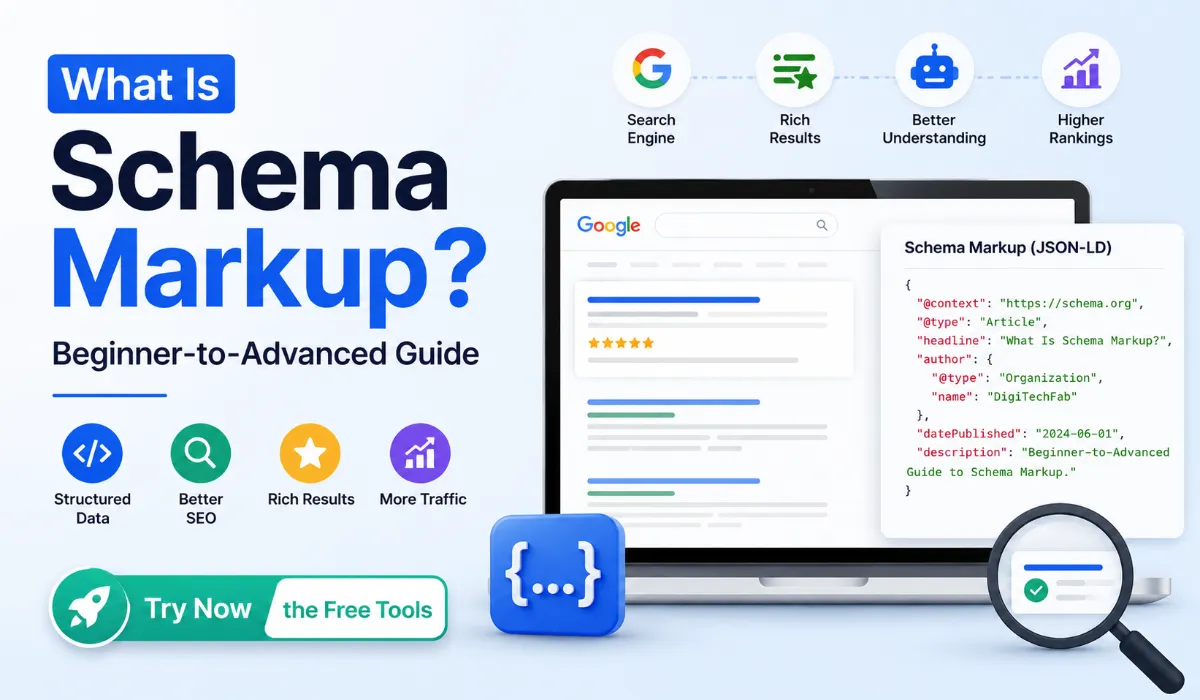
That’s not magic. That’s Schema Markup doing its job.
And if you’re not using it yet, you’re leaving real visibility on the table — not just rankings, but the kind of search presence that makes people click your result over everyone else’s.
This guide breaks down exactly what Schema Markup is, why JSON-LD is the format you should be using, which schema types apply to your site, and how to avoid the mistakes that quietly kill your structured data efforts.
Let’s get into it.
What Is Schema Markup?
At its core, Schema Markup is a vocabulary of tags — developed and maintained at Schema.org — that you add to your webpage to help search engines understand your content more precisely.
Think of it this way.
When Google reads your page, it sees text. It can figure out a lot from context, but it still has to guess. Is “Dr. Sarah Mitchell” a person, a business name, or a podcast host? Is “Open 9am–6pm” the hours of a restaurant or a helpline?
Structured Data removes that guessing entirely.
You’re essentially labelling your content: “This is a person. This is a business. This is a review with a 4.5-star rating. This is a recipe that takes 30 minutes to make.” Google doesn’t need to interpret — you’ve told it directly.
The result? Search engines can use that information to build richer, more informative results in Google Search — which benefits both you and the person searching.
What Is JSON-LD?
JSON-LD stands for JavaScript Object Notation for Linked Data. It’s a lightweight data format that lets you describe your page’s content in a structured way — without touching your existing HTML.
Instead of wrapping your actual page content in extra attributes (like older formats required), JSON-LD sits inside a <script> tag and describes the page separately. This makes it cleaner, easier to manage, and far less risky to implement.
Google officially recommends JSON-LD over all other formats. And for good reason.
Here’s a quick comparison:
| Format | Where It Lives | Ease of Use | Google’s Preference |
| JSON-LD | Inside a <script> tag | Very easy | ✅ Recommended |
| Microdata | Embedded in HTML tags | Complex | Supported |
| RDFa | Embedded in HTML tags | Most complex | Supported |
Microdata and RDFa both require you to modify your actual HTML structure — which creates more room for errors, harder maintenance, and a messier codebase. JSON-LD keeps things separate and clean.
For beginners and experienced developers alike, JSON-LD is simply the smarter choice.
Why Schema Markup Matters for SEO
Let’s be honest about one thing upfront: Schema Markup is not a direct ranking factor. Google has never confirmed it as one. So don’t add schema expecting your page to jump to position one overnight.
What it does do — and this is significant — is change how your page appears in search. And that matters more than most people realise.
Here’s what SEO Schema actually helps with:
Rich Snippets These are the enhanced search results that show ratings, prices, author names, event dates, and more. Users notice them immediately. They build trust before anyone even clicks.
Better Click-Through Rates A result with star ratings and a clear FAQ preview will almost always outperform a plain blue link — even if the plain link ranks higher. Schema gives your result a visual edge.
Knowledge Graph Presence For brands and public figures, structured data helps Google build a Knowledge Graph entry — that information panel that appears on the right side of search results.
Voice Search Compatibility When someone asks a smart speaker a question, the answer often comes from a page with clear structured data. Speakable schema, in particular, is designed for exactly this use case.
AI-Powered Search As Google Search evolves with AI-generated summaries and featured answers, structured data becomes a clearer signal. Pages that describe themselves accurately are better positioned to be cited.
Improved Crawling and Indexing Schema helps search engines understand the relationships between content — which can lead to better indexing, especially for complex sites with many page types.
Common Types of Schema Markup
There are hundreds of schema types defined at Schema.org. You don’t need all of them. You need the right ones for your site.
Here’s a trick most beginners never figure out: Google doesn’t reward you for using more schema. It rewards you for using the right schema, written correctly, matched to content that actually exists on the page. One well-implemented FAQ schema beats five sloppy ones every time.
Here are the most commonly used types — where each one fits, a real example of it in action, and a quick tip to use it right.
Organization Schema

Used by companies and brands to describe their name, logo, contact details, and social profiles. Every business website should have this — ideally on the homepage.
Where you’ve seen it: That little brand panel that sometimes appears on the right side of Google when someone searches your company name directly.
Tip: Always include your sameAs social links. It’s the property that helps Google connect your website to your verified social profiles — and strengthens your Knowledge Panel eligibility.
Person Schema

Used for individual profiles — authors, consultants, public figures, or anyone building a personal brand. Great for EEAT signals.
Where you’ve seen it: Author bylines that show up with credentials in search results, or personal Knowledge Panels for well-known consultants and creators.
Tip: Pair this with BlogPosting schema on your articles. Linking the author property to a Person schema is one of the simplest EEAT wins available to solo bloggers.
BlogPosting Schema

Marks up individual blog articles with author, publish date, headline, and description. One of the most useful schema types for content-heavy sites.
Where you’ve seen it: The little date stamp and author name that appears under some blog results in Google — and the eligibility for “Top Stories” carousels.
Tip: Keep datePublished and dateModified accurate. Google has confirmed it uses these fields as a freshness signal — outdated dates on updated content can actually hurt you.
Website Schema

Describes the site as a whole and enables the Sitelinks search box in Google results for larger sites.
Where you’ve seen it: That small search bar that sometimes appears directly inside a brand’s Google listing, letting users search the site without leaving the results page.
Tip: This only works well for sites with strong branded search volume. If your site is new, focus on other schema first — Sitelinks search boxes appear at Google’s discretion.
LocalBusiness Schema

Built for businesses with a physical location — shops, clinics, offices. Includes hours, address, phone number, and geo coordinates.
Where you’ve seen it: The map pin info card that shows hours, ratings, and “Open Now” status for local shops and clinics.
Tip: Match your hours, address, and phone number exactly to your Google Business Profile. Mismatches between schema and GBP listings are one of the most common local SEO trust signals Google flags.
Service Schema

Describes a specific service you offer — ideal for agencies, consultants, and SaaS products.
Where you’ve seen it: Listings that show “Services” directly attached to a business profile, or expanded descriptions under agency websites in search.
Tip: Use a separate Service schema for each distinct offering rather than cramming everything into one block. Google reads each service as its own entity.
ContactPage and AboutPage Schema

These tell Google exactly what type of page it’s reading — helpful for site structure clarity.
Where you’ve seen it: Less visible in SERPs directly, but these strengthen how Google’s crawlers categorize your site’s pages — which feeds into broader trust and EEAT evaluation.
Tip: Don’t skip these just because they’re “invisible.” Search engines build a map of your entire site, and clearly labelled pages help that map make sense.
Breadcrumb Schema

Displays your page hierarchy directly in search results — making it easier for users to understand where a page sits on your site.
Where you’ve seen it: That small trail of page names (Home > Blog > Category > Post) that replaces the plain URL under a search result.
Tip: Keep your breadcrumb trail matching your actual site navigation. A mismatch between visible breadcrumbs and schema breadcrumbs is flagged as misleading structured data.
FAQs Schema

Displays expandable questions and answers directly in Google Search. One of the highest-impact schema types for blog and informational content.
Where you’ve seen it: Those collapsible question dropdowns sitting right under a search result, sometimes taking up nearly half the visible screen.
Tip: Only mark up FAQs that are visibly present on the page in the same wording. Google has tightened enforcement here — hidden or mismatched FAQ content is one of the most common reasons rich results get revoked.
Review Schema

Shows star ratings in search results. Commonly used for products, services, and businesses.
Where you’ve seen it: The yellow star rating with a review count sitting right below a product or business listing.
Tip: Never fabricate or average reviews from third-party platforms without permission. Google explicitly penalises manipulated review schema — and it’s one of the few structured data violations that can trigger a manual action.
ItemList Schema

Used for list-style content — top 10 articles, category pages, or curated collections.
Where you’ve seen it: Numbered list previews that occasionally appear directly within a single search result, showing 3–4 items before you even click.
Tip: Order matters. List your items in the same sequence they appear on the page — Google uses the position values you assign.
Video Schema

Marks up video content with title, description, duration, and thumbnail. Improves visibility in both Google Search and Google Video results.
Where you’ve seen it: Video thumbnails with a play button and duration stamp sitting inside regular search results — not just on YouTube.
Tip: Always include uploadDate and duration. Pages missing these two fields are frequently excluded from video rich results even when everything else is correct.
Speakable Schema

Identifies sections of a page most suitable for text-to-speech — particularly relevant for news and voice search.
Where you’ve seen it: This one works behind the scenes — it’s what powers smart speakers reading a short summary of an article aloud when asked.
Tip: Keep marked sections short and factual. Speakable works best on concise summary paragraphs, not long-form explanations.
ImageObject Schema

Describes images with metadata — name, caption, dimensions, and content URL. Useful for photographers, designers, and media-heavy sites.
Where you’ve seen it: Richer image search results that show captions or licensing info alongside the thumbnail in Google Images.
Tip: Always include accurate width and height values. Mismatched dimensions are a frequent — and easily avoidable — validation error.
MedicalClinic Schema

A specialised type for healthcare providers, covering services, location, and medical specialties.
Where you’ve seen it: Local clinic listings that show medical specialties and accepted services directly in the map pack.
Tip: Healthcare schema falls under Google’s “Your Money or Your Life” (YMYL) content category — accuracy here matters more than almost any other schema type. Never list a specialty or service you don’t actually offer.
Restaurant Schema

Covers cuisine type, menu, reservations, hours, and location — everything a food business needs in search results.
Where you’ve seen it: Restaurant cards showing price range, cuisine type, and a “Reserve a table” button directly inside search results.
Tip: If you take reservations through a third-party platform, link it correctly using the acceptsReservations property — this is what enables the booking button to appear.
CollectionPage Schema

Used for pages that aggregate content — archive pages, resource libraries, or topic hubs.
Where you’ve seen it: Less visible directly in SERPs, but it helps Google understand that a page is a curated hub rather than a single piece of content — useful for category and resource pages competing for topical authority.
Tip: Pair this with ItemList schema when your collection page lists individual items. Together, they give Google a complete picture of both the hub and its contents.
WebApplication Schema

Describes browser-based tools, calculators, and interactive apps — exactly the kind of free tools you’ll find across DigiTechfab.
Where you’ve seen it: Tool and app listings that show a category, operating system compatibility, or “Free” price tag directly in search results.
Tip: If your tool is free, explicitly set the price property to 0. Leaving it blank is one of the most common reasons WebApplication schema fails validation.
Medical WebPage Schema

Used to mark up pages about medical conditions, procedures, treatments, drugs, or anatomy. It tells Google the page is specifically about a health topic — not just a general article that happens to mention one.
Where you’ve seen it: The medical knowledge panels and condition summaries that appear when you search a symptom or treatment — often showing a brief overview, related conditions, and credible source attribution.
Tip: This schema falls squarely under Google’s YMYL (Your Money or Your Life) guidelines, same as MedicalClinic schema. Always pair it with an author field showing genuine medical credentials where possible — Google weighs expertise signals heavily on health-related pages, and unverified or vague authorship is one of the fastest ways to lose trust here.
Each of these can be generated without writing a single line of code using DigiTechfab’s free JSON-LD Generator tools — one dedicated generator for every schema type listed above.
Which Schema Should You Use?
Not sure where to start? This table maps common website types to the schema that matters most:
| Website Type | Recommended Schema Types |
| Blog | BlogPost, Person, BreadcrumbList, FAQ |
| Business Website | Organization, Service, ContactPage, AboutPage |
| Restaurant | Restaurant, LocalBusiness, Review |
| Medical Clinic | MedicalClinic, LocalBusiness, Person |
| SaaS / Software | Organization, Service, FAQs, Review |
| eCommerce | Product, Review, BreadcrumbList, ItemList |
| Portfolio | Person, ImageObject, CollectionPage |
| Agency | Organization, Service, Review, FAQs |
| Personal Website | Person, BlogPost, Website |
| Educational Website | Course, Organization, FAQs |
| Local Business | LocalBusiness, Review, BreadcrumbList |
Start with one or two that match your site type. Get those right before expanding.
Benefits of Using DigiTechfab’s JSON-LD Schema Generator
Implementing schema manually means writing JSON code, understanding required vs optional properties, and validating everything before it goes live. For most people — bloggers, business owners, marketers — that’s not a practical ask.
DigiTechfab offers a full collection of free Schema Generator tools that remove that barrier entirely.
Each generator:
- Produces valid JSON-LD output instantly
- Requires zero coding knowledge
- Follows Schema.org standards precisely
- Covers all the major schema types
- Works for beginners and professionals alike
You fill in the fields, copy the generated code, and paste it into your page. That’s the entire process. No developer needed, no syntax errors, no guessing.
Common Schema Mistakes to Avoid
Getting schema wrong is worse than not having it. Here are the mistakes that trip people up most often:
Using the wrong schema type Adding Organization schema to a personal blog, or LocalBusiness schema to a remote-only service, sends confusing signals. Match the schema to what the page actually is.
Missing required properties Every schema type has properties that Google considers essential. Skipping them means your markup may be ignored or flagged as invalid.
Adding fake reviews Google explicitly penalises fake or incentivised review schema. Only mark up genuine, independently given reviews.
Invalid or broken URLs Schema fields that require URLs — logos, images, pages — must point to real, accessible, correctly formatted addresses.
Duplicate schema on the same page Adding the same schema type twice on one page creates conflicts. Use each type once unless the spec explicitly allows multiples.
Incorrect nesting Some schema types reference others as nested properties. Getting the structure wrong breaks the entire markup.
Outdated schema If you update your content, your schema needs to match. Stale publish dates, old prices, or removed services left in schema cause problems.
Using every schema type unnecessarily Schema should describe your actual content. Adding FAQ schema to a page with no FAQ, or Review schema to a page with no reviews, is misleading and can result in manual actions.
How to Validate Your Schema
After adding schema to any page, always validate it. Don’t assume it’s correct.
Google Rich Results Test Go to search.google.com/test/rich-results, enter your URL or paste your code, and Google will tell you exactly which rich results your page is eligible for — plus any errors or warnings.
Schema.org Validator Available at validator.schema.org, this tool checks your markup against the Schema.org specification directly. More detailed than Google’s tool for technical validation.
DigiTechfab JSON-LD Schema Validator quickly validates pasted JSON-LD code for syntax and formatting issues. Please note that it validates code only and does not fetch or analyze live webpage URLs, making it ideal for checking generated JSON-LD before implementation.
Validate after every change. A single missing required field can make an entire schema block ineligible for rich snippets.
Best Practices for Schema Markup
A few principles that hold up regardless of which schema types you use:
- Always match schema to visible content. If it’s not on the page, don’t put it in the schema.
- Use JSON-LD wherever possible. It’s cleaner, safer, and Google’s recommended format.
- Keep schema updated. Prices change, addresses change, hours change — your schema should too.
- Only add schema that’s relevant. One accurate schema type is worth more than five irrelevant ones.
- Test after every update. Especially after theme changes or plugin updates that might affect your <head> section.
- Don’t use schema to mislead. Google’s structured data guidelines are strict. Violations can result in manual penalties that are difficult to recover from.
Frequently Asked Questions
Q: Is Schema Markup a ranking factor?
Ans: Not directly. Google has not confirmed schema as a ranking signal. However, it influences how your page appears in search results, which affects click-through rates and user engagement.
Q: Does Schema improve SEO?
Ans: Yes — indirectly. Better search result appearances lead to higher click-through rates. Schema also improves how accurately Google understands your content, which supports better indexing.
Q: Which Schema is best for blogs?
Ans: BlogPost, Person, BreadcrumbList, FAQs, and Website schema are the most impactful for blog-focused sites.
Q: Can beginners use Schema Markup?
Ans: Absolutely. With a free Schema Generator tool like those available at DigiTechfab, no coding experience is required at all.
Q: Is JSON-LD better than Microdata?
Ans: Yes, for most use cases. JSON-LD is easier to implement, easier to maintain, and Google’s officially recommended format for structured data.
Q: How many Schema types can I use on one page?
Ans: You can use multiple schema types on a single page — as long as each one describes content that actually exists on that page. There’s no hard limit, but relevance matters more than quantity.
Q: How do I validate Schema Markup?
Ans: Use the Google Rich Results Test or the Schema.org Validator. Both are free and give clear feedback on errors and eligibility for rich results.
Q: What happens if my Schema is wrong?
Ans: At best, it gets ignored. At worst — particularly for review or price schema — it can trigger a manual action from Google, which affects your entire site’s search visibility.
Q: Do I need a developer to add Schema?
Ans: Not necessarily. JSON-LD can be added via a <script> tag in your page’s <head> section, through a WordPress plugin, or generated and pasted using a free online tool.
Conclusion
Schema Markup is one of those things that looks technical on the surface but is completely manageable once you understand what it’s actually doing. You’re not changing your content — you’re just helping search engines read it more accurately.
The payoff is real: more informative search results, stronger visual presence, and content that’s better positioned for the way modern search — including voice and AI — works today.
Start with the schema type that fits your site most naturally. Validate it. Get it right. Then expand from there.
If you want to skip the manual coding entirely, DigiTechfab’s free JSON-LD Schema Generator collection covers every major schema type — from BlogPost to MedicalClinic — with a clean, beginner-friendly interface that produces valid, ready-to-paste output in seconds.
Structured data isn’t optional anymore. The sites treating it seriously are showing up differently in search. Now you know exactly how to join them.