Listen to “OpenAI Tokenizer: What It Is, How to Use It, and Why It Matters”
Prefer listening? Get the key insights from this guide in just a few minutes.
AI Smart Overview
- OpenAI Tokenizer shows how text is divided into tokens and displays token and character counts.
- Tokens are not words: A token can be a complete word, part of a word, punctuation, or another text element.
- Easy to use: Paste your text into the tokenizer, select an available tokenizer option, and check the results.
- API cost awareness: Input and output token usage can affect the cost of using OpenAI models through the API.
- Context limits: Token counts help you understand how much text you are sending to a model.
- Useful for SEO professionals: Check lengthy prompts, content briefs, and reference material before using AI writing tools.
- Different text, different counts: Language, punctuation, and the tokenizer can change the total number of tokens.
- Not an SEO ranking tool: Token counting helps manage AI workflows but does not directly improve Google rankings.
- Best practice: Use the tokenizer associated with your target model for a more accurate count.
- Try it yourself: Visit OpenAI Tokenizer to test your text.
Detailed Overview
When you use ChatGPT to write a blog, summarize a document, or answer a question, the amount of text you enter can affect how the model processes your request. This is where the OpenAI Tokenizer comes in. It helps you see how your text is divided into smaller units called tokens and how many tokens your text contains.
If you regularly write SEO articles, work with long prompts, or develop applications using OpenAI’s API, understanding tokens can save time and help you manage your work more effectively.
In this guide, we’ll explain how the OpenAI Tokenizer works, how to use it, and when it is useful.
What Is OpenAI Tokenizer?
A token can be a complete word, part of a word, punctuation, or another text element. The way a sentence is divided depends on the tokenizer used.
For example, you might enter a blog introduction, a product description, or a prompt you plan to use in ChatGPT. The tokenizer lets you examine the text instead of guessing how many tokens it contains.
You can use the OpenAI Tokenizer directly in your browser.
What Is a Token?
A token is a small unit of text that a language model processes. It isn’t always the same as a word.
Consider the sentence:
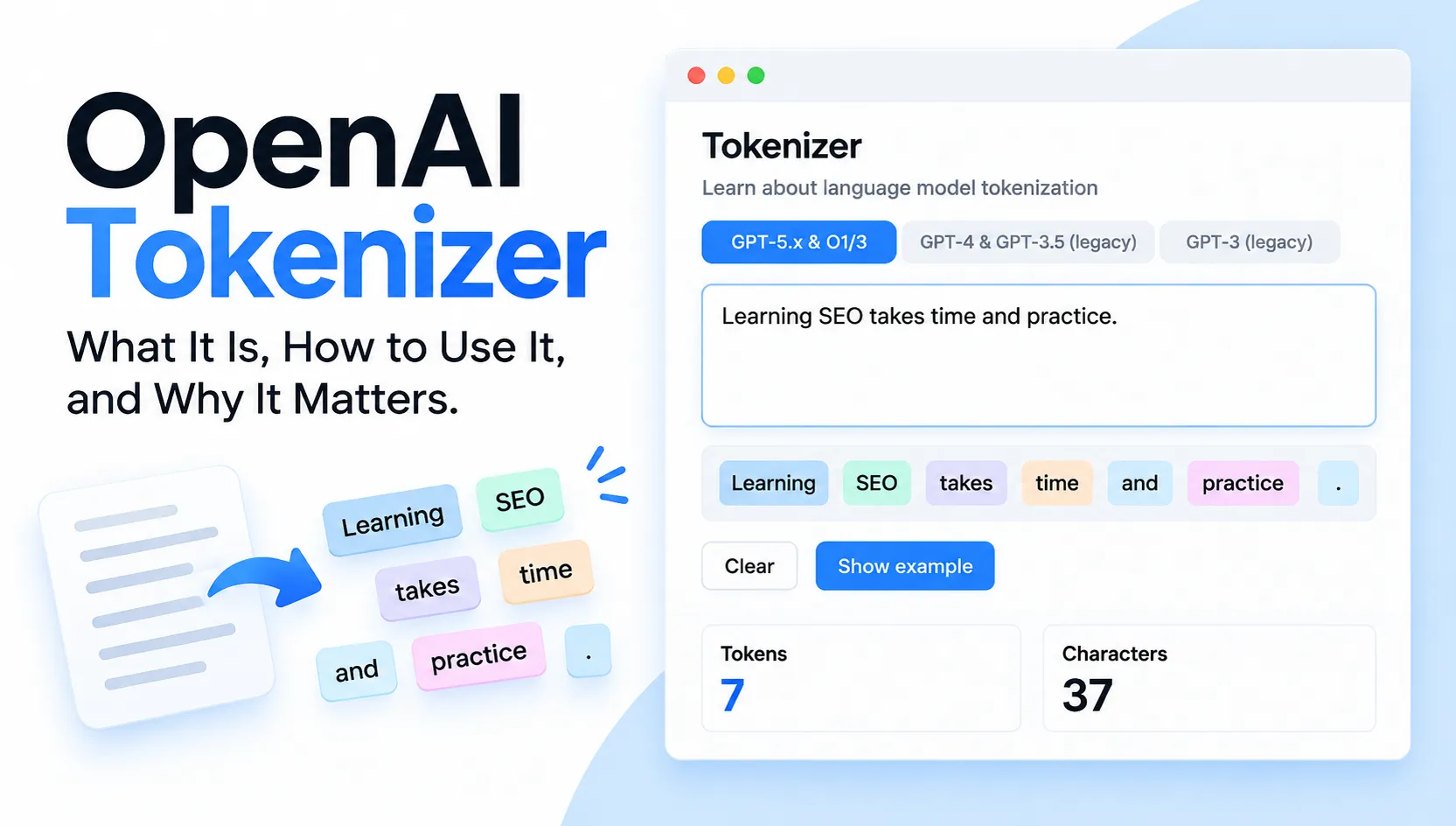
“Learning SEO takes time and practice.”
It contains six words, but its token count may differ depending on the tokenizer.
Here are a few things to know:
- Common words may be represented by a single token.
- Longer or less familiar words may be split into smaller pieces.
- Punctuation and symbols can affect the token count.
- English, Hindi, and Hinglish text can produce different results.
This is why counting words alone won’t always tell you how many tokens a piece of text contains.
How to Use OpenAI Tokenizer
You don’t need programming knowledge to use the tool. Follow these steps to check your text.
- Open the OpenAI Tokenizer in your browser.
- Select the available tokenizer option that matches the model you want to examine.
- Paste your text into the input box.
- Look at the token and character counts displayed below.
- Change the text and compare the results.
You can try this with an SEO brief, a blog post, an email, or a prompt you’ve written for ChatGPT.
For instance, paste a short prompt asking for a blog post. Then add instructions about headings, FAQs, tone, and formatting. Check the count again to see how the additional text changes the result.
Keep in mind that the tokenizer measures text; it doesn’t judge whether your writing is clear, accurate, or useful.
Tokens vs. Words vs. Characters
These three measurements are easy to confuse, but they serve different purposes.
| Term | Meaning |
|---|---|
| Words | Individual words in your text |
| Characters | Letters, numbers, spaces, and symbols |
| Tokens | Units into which a tokenizer divides text |
Suppose two blog posts each contain 1,000 words. Their token counts might still differ because they use different vocabulary, punctuation, or languages.
For common English text, a rough estimate is around 1.3 tokens per word. However, this isn’t a fixed rule. The actual number depends on the content and tokenizer.
If you need an accurate count for a particular model, use the corresponding tokenizer rather than relying on a general estimate.
Why Does Token Count Matter?
Token counts are especially useful when working with long prompts, API requests, and documents.
1. Understanding API Costs
If you use OpenAI’s API to generate content or power an application, token usage can affect your costs.
There are two main categories to understand:
- Input tokens: The text and instructions you send to the model.
- Output tokens: The response generated by the model.
For example, an application that sends a long article, several reference documents, and detailed instructions may use more input tokens than one that sends a short question.
Checking the token count helps you understand the size of your input. To estimate the actual cost, you’ll also need the selected model’s pricing and usage information.
2. Working With Long Prompts
Have you ever prepared a detailed prompt with multiple instructions and reference documents? The amount of text can grow quickly.
Models have context windows that limit how much information they can handle in a request or conversation. Long prompts, previous messages, and document content can all contribute to that limit.
A tokenizer helps you check text length before using it. If necessary, you can remove repeated instructions, shorten irrelevant sections, or divide a large task into smaller parts.
The goal is to keep the information useful, not simply to make the prompt shorter.
3. Planning Content Workflows
Content writers and SEO professionals often work with lengthy briefs, keyword lists, competitor research, and article drafts.
Checking token counts can help when preparing prompts for these tasks, particularly when using the API or working with applications that have specific context limits.
However, token count doesn’t determine article quality or search rankings. Your content still needs to answer the reader’s question clearly and accurately.
Who Can Benefit From OpenAI Tokenizer?
The tool can be useful in several situations.
Content writers: Check the size of prompts and reference material before generating or editing articles.
SEO professionals: Manage lengthy content briefs and organize information for content-planning workflows.
Developers: Inspect text when building chatbots, document-processing systems, or API-based applications.
Business owners: Understand token usage when estimating the resources needed for an AI-powered service.
Students and beginners: Learn why AI systems count text differently from ordinary word processors.
You don’t need to use a tokenizer for every conversation. It becomes more useful when text length, API usage, or context limits matter to your work.
Common Mistakes to Avoid
A few simple precautions will help you get more accurate results:
- Don’t assume that every word equals one token.
- Don’t expect different tokenizers to produce identical counts.
- Don’t confuse the character count with the token count.
- Don’t estimate API costs without considering output usage and the selected model’s pricing.
- Don’t remove useful instructions just to reduce the number of tokens.
These points are particularly important when working with large documents or building applications that process text automatically.
People Basically Asked
Q. Is OpenAI Tokenizer free to use?
Ans. The tokenizer is available online. Check the tool for its current access requirements and available features.
Q. How many tokens are in 1,000 words?
Ans. There is no exact answer for every text. A rough estimate for common English writing is around 1,300 tokens, but the actual count can vary.
Q. Can OpenAI Tokenizer calculate API costs?
Ans. No. It shows tokenization and token counts. To calculate API costs, you need the selected model’s pricing and actual usage figures.
Q. Does token count affect SEO rankings?
Ans. Token count is not a direct measure of SEO quality. It can help you manage content-generation workflows, but rankings depend on many factors, including relevance, usefulness, technical accessibility, and competition.
Q. Why does the same text have different token counts?
Ans. Different tokenizers can divide text differently. Language, punctuation, and word structure can also affect the result.